

We’ve been spending a lot of time lately on something that isn’t as visible as adding another game: making MaximusHost easier to understand, troubleshoot, and build around.
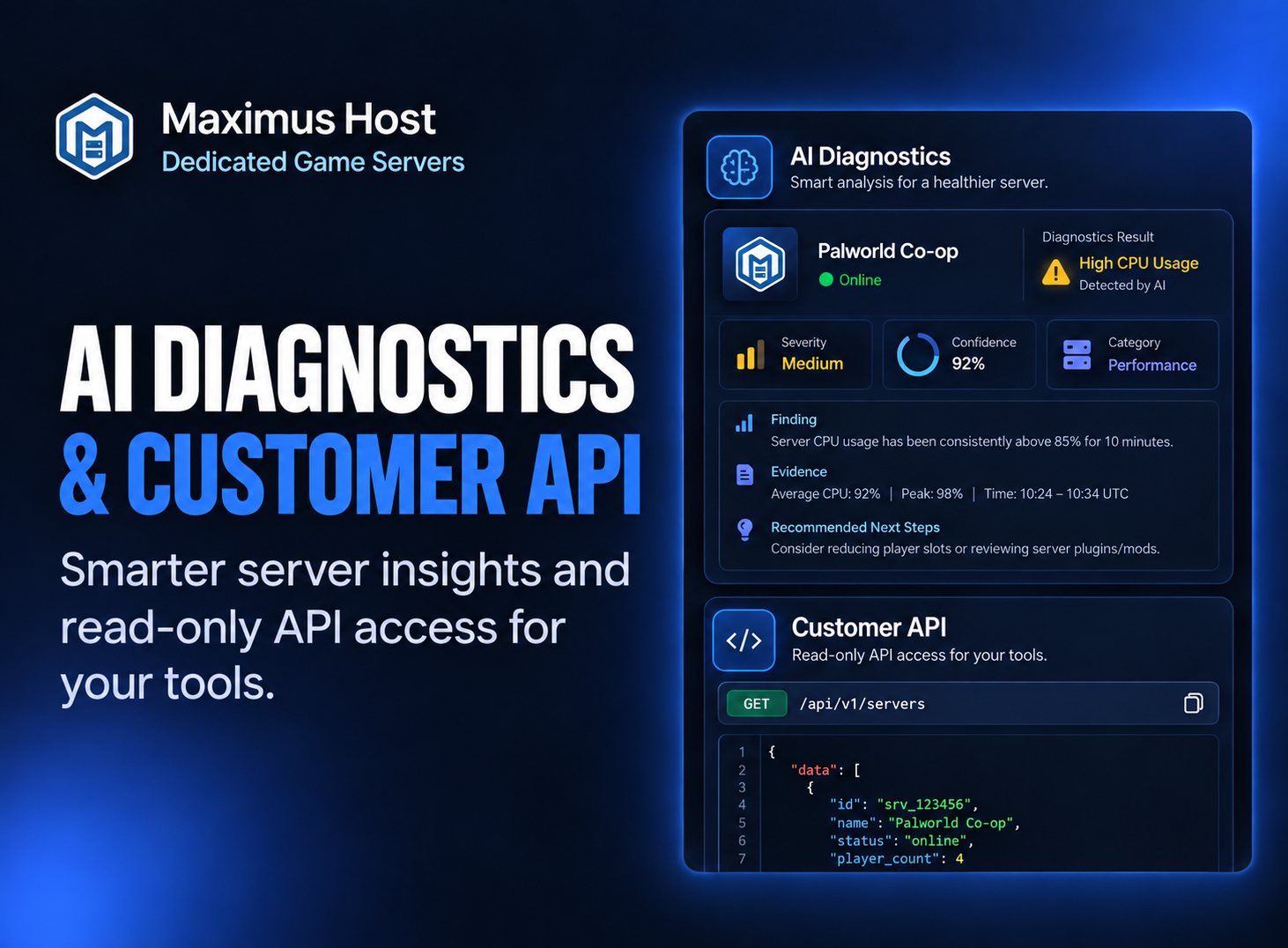
Two of those improvements are now ready for customers: AI Diagnostics and the new MaximusHost Customer API.
Together, they give you better ways to understand what your server is doing—whether you want MaximusHost to help investigate a problem for you or you want to use that information in your own tools.
AI Diagnostics: Better Answers When Something Goes Wrong
When a game server isn’t behaving normally, figuring out why can sometimes be harder than fixing the problem itself.
AI Diagnostics is now built directly into MaximusHost server management.
Open one of your servers, select AI Diagnostics, and choose Check server.
MaximusHost reviews a limited set of available server health information and returns a structured diagnostic result containing:
- A summary of what it found
- Severity and confidence
- Evidence that contributed to the result
- Specific findings
- Recommended next steps
- A Support request ID that can be referenced if you need additional help
Depending on the server and your permissions, a diagnostic check may be able to consider things such as current server state, provisioning state, CPU and memory usage, recent incidents, recent activity, startup failures, relevant log signals, mod or plugin status, and backup health.
The goal isn’t for AI to guess.
If MaximusHost doesn’t have enough evidence to identify a problem, AI Diagnostics can say that instead.
Diagnostics Without Giving Up Control
AI Diagnostics is intentionally read-only.
Running a check does not start, stop, restart, reconfigure, resize, or otherwise modify your server.
Recommended next steps are exactly that: recommendations for you to review.
We’ve also deliberately limited the information available to the diagnostic system. It doesn’t receive unrestricted access to your MaximusHost account or game server. Sensitive areas such as account passwords, Customer API tokens, billing information, raw credentials, arbitrary files, and unrestricted console history are outside the diagnostic view.
For shared servers, existing Server Team permissions still apply. Diagnostics doesn’t provide a new way around the access controls already assigned by the server owner.
You can learn more in the AI Diagnostics guide in the MaximusHost Wiki.
A New Customer API
We’re also opening up more of MaximusHost to customers who want to build their own tools.
The new MaximusHost Customer API provides read-only access to information about the servers available to your account.
The public API starts at:
https://maximushost.com/api/v1For example:
curl https://maximushost.com/api/v1/servers \
  -H "Authorization: Bearer YOUR_TOKEN"
From there, you can retrieve information such as:
- Servers available to your account
- Individual server status and connection information
- Resource usage history
- Recent server incidents
- Server activity
API tokens can be created and revoked from My Account → API Access.
What Can You Build With It?
The first version of the Customer API is deliberately focused on safe, read-only access, but that already opens up quite a few possibilities.
You could build:
- A personal server dashboard
- A Discord bot that reports server status
- Home Assistant integrations
- Monitoring and alerting tools
- Usage reports
- Scheduled scripts
- Your own MaximusHost companion application
The API also respects Server Team permissions, so an API token doesn’t suddenly give an account access to information it couldn’t normally see.
And because this is a read-only API, Customer API bearer tokens cannot start, stop, restart, resize, reconfigure, or delete servers.
Full examples, authentication instructions, permissions, pagination, and endpoint documentation are available in the Customer API guide and API reference in the MaximusHost Wiki.
Two Different Tools, One Direction
AI Diagnostics and the Customer API solve very different problems.
AI Diagnostics is there when you want MaximusHost to help answer:
“What’s going on with my server?”
The Customer API is there when you want to ask:
“What can I build with my MaximusHost server data?”
But both are part of the same larger goal.
We want MaximusHost to be a hosting platform where you aren’t forced to treat your server as a black box.
You should be able to understand what the platform is seeing, get useful help when something isn’t working, and connect your server information to the tools and workflows that make sense for you.
There’s more work ahead, but these are two important pieces of that foundation.
More updates are coming.